



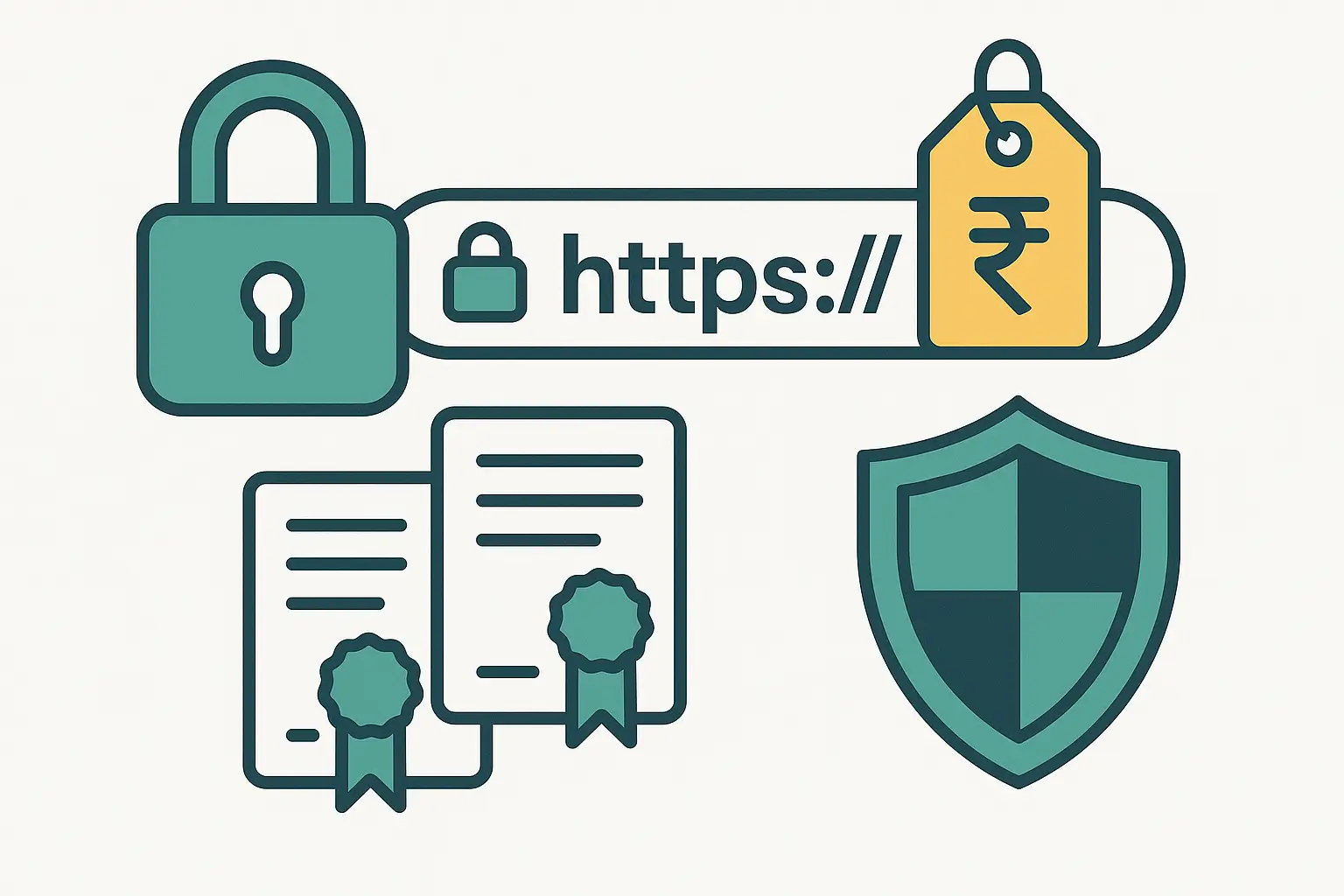
Are you searching for a reliable yet cheap SSL certificate India to secure your website? With trust, security, and SEO at stake, choosing the right SSL can make all the difference. In this 2025 guide, we explore the top 7 affordable SSL options in India and help you decide which one is best for your business.
Let’s compare features, prices, and trust levels — from free plans to extended validation — so you can protect your site without overspending.
Why SSL Matters for Indian Websites
- 🔒 Encrypts sensitive data between server and browsers
- ✅ Boosts Google rankings — HTTPS is a known ranking signal
- 🔐 Builds trust with the padlock icon and secure URL
- 📊 Protects e-commerce, login forms, and user info
Types of SSL Certificates Explained
- Domain Validated (DV): Cheapest, basic website encryption
- Organization Validated (OV): Includes business details, mid-tier security
- Extended Validation (EV): Highest validation with green address bar (rarely shown now)
- Wildcard: Secures a domain and all subdomains
- Multi-Domain (SAN): Protects multiple domains with one certificate
Top 7 Cheap SSL Certificate India Providers
1. Let’s Encrypt
Let’s Encrypt is a nonprofit Certificate Authority offering free DV (Domain Validated) SSL certificates. It’s ideal for developers, startups, or those comfortable with server management tools.
- ✅ 100% free SSL certificates
- ⏳ Valid for 90 days (auto-renewable)
- 🔧 Requires manual setup or automation tools like Certbot
Perfect for basic websites, blogs, or test projects. Learn more at letsencrypt.org.
2. Comodo / Sectigo (via SSL Store India)
Comodo (now part of Sectigo) is a leading brand in SSL security. Their DV certificates start at just ₹577/year, with options for OV and EV validation as well.
- ✅ Trusted by all major browsers
- 📄 DV, OV, EV, wildcard, and multi-domain SSL available
- 💼 Excellent for startups, e-commerce, and enterprises
3. CheapSSLShop
One of the most affordable SSL providers in India, offering DV SSL certificates from ₹320/year. They also provide wildcard SSL at around ₹3,140/year.
- 💰 Huge discounts on bulk purchases
- 🛡️ Certificates from Sectigo, RapidSSL, GeoTrust
- 🔒 Wildcard and multi-domain support
Check plans at cheapsslshop.com.
4. CheapSSLWeb
CheapSSLWeb offers entry-level SSL certificates starting from $3.99 (~₹330/year). They support multiple validation levels and wildcard options.
- ✅ DV, OV, and wildcard certificates
- 🛠️ User-friendly control panel for management
- 🌐 Certificates from popular CAs like Sectigo and DigiCert
5. HostGator India
A well-known hosting provider offering Comodo SSL certificates starting at ₹1,344/year. Best suited for non-technical users who want one-click installs and support.
- 🧩 Easy integration with HostGator hosting plans
- ✅ One-click install through cPanel
- 📦 Includes site seal and trust indicators
More details: hostgator.in
6. SSL2Buy
SSL2Buy offers DV, OV, and EV certificates from brands like Comodo, RapidSSL, GeoTrust, and Thawte. Prices start at just ₹330/year for DV certificates.
- 💲 Competitive pricing on all certificate types
- 🔄 Renewal reminders and support
- 🌍 Multi-domain and wildcard options available
7. CheapSSLCertificate.in
Ideal for budget-conscious users, CheapSSLCertificate.in offers FastSSL DV certificates from ₹321/year. Their platform is India-focused, supporting local payments and invoice generation.
- 📄 Quick domain validation
- 💼 Affordable wildcard and EV certificates
- 🌟 Trusted by Indian SMEs and developers
Comparison Table – Cheap SSL Certificate India
| Provider | Cost (₹/yr) | Type | Wildcard? | Renewal |
|---|---|---|---|---|
| Let’s Encrypt | Free | DV | ❌ | 90-day renewal |
| CheapSSLShop | ₹320 | DV | ✅ (₹3,140) | 1-year |
| Comodo/Sectigo | ₹577 | DV | ✅ | 1-year |
| CheapSSLWeb | ₹330 | DV | ✅ | 1-year |
| HostGator | ₹1,344 | DV | ❌ | 1-year |
| SSL2Buy | $3.99 (~₹330) | DV | ✅ | 1-year |
| CheapSSLCertificate.in | ₹321 | DV | ❌ | 1-year |
Why Choose Right Web Solution for Your SSL Certificate?
While many platforms offer SSL certificates, at Right Web Solution we provide a personalized, cost-effective, and fully supported SSL setup experience tailored for Indian businesses.
- 🔐 Affordable SSL Plans: Get Comodo DV SSL certificates starting at just ₹999/year with local invoice and support.
- 🧑💻 Free Installation Support: We help you configure and install your SSL on Linux or Windows hosting.
- 📩 Quick Turnaround: SSL issued and installed typically within 24 hours.
- 🛡️ Wildcard & Multi-domain SSL Available: Need to secure subdomains or multiple websites? We’ve got you covered.
Whether you’re running a basic business website or an e-commerce store, Right Web Solution ensures secure, encrypted, and trusted SSL implementation — with local expertise and affordable pricing.
Need help choosing the right SSL? Contact us today and we’ll guide you through the best plan for your website.

Why Buy a Paid SSL Certificate?
- ✅ Free SSL (Let’s Encrypt) lacks support or warranty
- ✅ Paid SSL offers installation help, warranty, and CA seal
- 🔐 OV/EV adds business identity verification for user trust
SSL Certificate Pricing in India: Complete Breakdown (2026)
Understanding SSL pricing helps you avoid overpaying. Here is a detailed breakdown of what you should expect to pay in India:
Domain Validated (DV) SSL Pricing
DV certificates are the most affordable option and sufficient for blogs, portfolios, and informational websites.
- Free: Let’s Encrypt — auto-renewed every 90 days, supported by most hosting providers
- ₹300–₹500/year: Budget DV from Sectigo or RapidSSL via resellers like SSL2Buy and CheapSSLShop
- ₹800–₹1,500/year: Premium DV from brands like GeoTrust or DigiCert with faster issuance and larger warranty
- Right Web Solution Price: We install and configure DV SSL certificates starting at ₹999/year including installation — you do not need to handle any technical steps
Organization Validated (OV) SSL Pricing
OV certificates display your company name in the certificate details, building additional trust with customers. Required for many government and banking integrations.
- ₹3,000–₹6,000/year: Standard OV from Sectigo or GeoTrust
- ₹6,000–₹12,000/year: Premium OV from DigiCert or GlobalSign with higher warranty coverage
- Validation Time: 1–3 business days (requires business document verification)
- Right Web Solution Price: OV SSL with full installation and document submission support starting at ₹4,500/year
Wildcard SSL Pricing
Wildcard certificates secure your main domain plus all subdomains (e.g., blog.yoursite.com, shop.yoursite.com, api.yoursite.com) under a single certificate.
- ₹3,000–₹5,000/year: DV Wildcard from Sectigo or RapidSSL
- ₹8,000–₹15,000/year: OV Wildcard with business validation
- Right Web Solution Price: Wildcard SSL with installation starting at ₹4,000/year — covers unlimited subdomains
Extended Validation (EV) SSL Pricing
EV certificates provide the highest level of validation and are typically used by banks, financial services, and large ecommerce platforms.
- ₹8,000–₹20,000/year: Standard EV from Sectigo or GeoTrust
- ₹20,000–₹50,000/year: Premium EV from DigiCert with the highest warranty (up to $1.75 million)
- Validation Time: 3–7 business days (requires extensive business verification)
- Right Web Solution Price: EV SSL with complete installation and validation support from ₹12,000/year
Step-by-Step SSL Installation Guide for Indian Websites
Whether you are on shared hosting, a VPS, or a cloud server, here is how SSL installation works:
Step 1: Generate a Certificate Signing Request (CSR)
Log into your hosting control panel (cPanel, Plesk, or your server’s command line). Navigate to SSL/TLS settings and generate a CSR. This creates a private key (kept on your server) and a CSR file (sent to the certificate authority). Save both files securely — the private key is never shared.
Step 2: Purchase and Validate Your SSL Certificate
Submit the CSR to your SSL provider. For DV certificates, you will receive a validation email to your domain’s admin email (admin@yourdomain.com). Click the confirmation link to complete validation. OV and EV certificates require additional business documentation.
Step 3: Download and Install the Certificate
After validation, download the certificate files (usually a .crt file and a CA bundle). In cPanel, go to SSL/TLS > Install and Manage SSL > Upload the certificate and CA bundle for your domain. Click Install. On a VPS or dedicated server, copy the files to your Nginx or Apache configuration directory and update your server config.
Step 4: Force HTTPS Redirect
Add a redirect rule in your .htaccess file (Apache) or server block (Nginx) so all HTTP traffic automatically redirects to HTTPS. In WordPress, update your Site URL and WordPress URL to use https:// in Settings > General.
Step 5: Verify and Test
Use free tools like SSL Labs (ssllabs.com) to test your certificate installation. Check for mixed content warnings (HTTP resources loading on an HTTPS page) and fix them. Verify that the padlock icon appears in all major browsers.
Don’t want to handle this yourself? Right Web Solution provides complete SSL installation as a service — we handle everything from purchase to configuration to testing, starting at just ₹999 for basic DV certificates.
Common SSL Certificate Errors and How to Fix Them
Even after installation, SSL issues can arise. Here are the most common problems Indian website owners face and how to resolve them:
ERR_CERT_COMMON_NAME_INVALID
Cause: The certificate was issued for a different domain name than the one being accessed. Common when your certificate covers “www.yoursite.com” but not “yoursite.com” or vice versa.
Fix: Ensure your SSL certificate covers both www and non-www versions. Most providers include both by default, but verify during purchase. Set up a 301 redirect from one version to the other.
Mixed Content Warnings
Cause: Your HTTPS page is loading resources (images, scripts, CSS) over HTTP. This triggers the “Not Secure” warning despite having a valid certificate.
Fix: Update all internal links to use HTTPS or relative URLs. In WordPress, use the “Better Search Replace” plugin to find and replace “http://yoursite.com” with “https://yoursite.com” across your database. Check third-party scripts and update their URLs.
SSL Certificate Expired
Cause: The certificate was not renewed before its expiration date. Let’s Encrypt certificates expire every 90 days; paid certificates typically last 1 year.
Fix: Set up auto-renewal if your hosting provider supports it. For Let’s Encrypt, most hosting panels have automatic renewal built in. For paid certificates, set a calendar reminder 30 days before expiration. Right Web Solution clients receive proactive renewal notifications.
ERR_SSL_PROTOCOL_ERROR
Cause: Server SSL/TLS configuration is incorrect. Often caused by outdated TLS versions (TLS 1.0 or 1.1) or misconfigured cipher suites.
Fix: Ensure your server supports TLS 1.2 and TLS 1.3 (the current standards). Disable TLS 1.0 and 1.1. Update your server’s cipher suite configuration to follow Mozilla’s recommended settings.
SSL and SEO: How HTTPS Impacts Your Google Rankings in India
Google has confirmed that HTTPS is a ranking signal. Here is what this means for your Indian website:
- Direct Ranking Benefit: Google gives a small but measurable ranking boost to HTTPS sites. While it is a lightweight signal compared to content quality and backlinks, it can be the tiebreaker between two otherwise equal pages.
- Chrome Security Warnings: Since 2018, Chrome marks all HTTP sites as “Not Secure.” This warning scares away visitors — our clients have seen bounce rates drop by 15–25% after switching to HTTPS.
- Referral Data Preservation: When an HTTPS site links to an HTTP site, the referral data is stripped. If your site is HTTP, you are losing visibility into where your traffic comes from in Google Analytics.
- Required for Modern Features: Many modern web features — push notifications, geolocation, service workers, payment APIs — require HTTPS. Without SSL, you cannot use these capabilities.
- Core Web Vitals: HTTPS sites tend to perform better on Core Web Vitals because modern protocols like HTTP/2 and HTTP/3 (which significantly improve page speed) require HTTPS.
Bottom line: In 2026, not having SSL is not just a security risk — it is an SEO handicap that costs you traffic, conversions, and customer trust.
How to Choose the Right SSL in India
- Budget DV SSL: CheapSSLShop or CheapSSLWeb (~₹320–400)
- Wildcard SSL: CheapSSLShop wildcard (~₹3,140)
- OV/EV SSL: Comodo/Sectigo (~₹2,500+) for business identity flag
- Free SSL: Let’s Encrypt with auto-renew setup
- Auto-install support: HostGator, Right Web Solution
Case Study – How SSL Boosted Ecommerce Conversions
A Delhi-based online store saw a **12% increase in conversions** after installing a paid DV SSL, due to the padlock icon and SEO boost.
How to Secure Your Site with Right Web Solution
- Choose your SSL type (DV/OV/Wildcard)
- Buy through us at competitive rates
- We install and configure SSL on your hosting
- Set up auto-renewal and monitoring alerts
Learn more about our SSL and hosting bundles via our Hosting & Communication Services page.
SSL Certificate Renewal: What Indian Website Owners Need to Know
SSL certificates are not permanent — they have fixed validity periods:
- Let’s Encrypt: Valid for 90 days, auto-renewed by most hosting providers. If auto-renewal fails (usually due to DNS changes), your site shows a security warning until you manually renew.
- Paid DV/OV Certificates: Valid for 1 year (since 2020, the maximum validity was reduced from 2 years to 1 year by the CA/Browser Forum). You must renew annually.
- EV Certificates: Also valid for 1 year with the same annual renewal requirement.
Renewal Best Practices:
- Start the renewal process 30 days before expiration to avoid any downtime
- Set calendar reminders or use a monitoring service that alerts you before expiration
- Keep your domain’s admin email active — renewal validation emails go there
- After renewal, test your certificate with SSL Labs to confirm correct installation
- Consider managed SSL services (like Right Web Solution offers) where renewal is handled for you automatically
FAQs – Cheap SSL Certificate India
Is free SSL like Let’s Encrypt safe?
Yes for encryption, but lacks support and warranty. Paid SSL offers better reliability and validation.
How much does SSL cost in India?
Domain validated SSL starts from ₹320–₹1,400 per year depending on features and CA.
Do wildcards require manual renewals?
No — wildcard SSL renews like single-domain and protects all subdomains automatically.
EV SSL worth the price?
Ideal for financial firms, agencies, or businesses wanting the green bar and maximum trust.
Is a cheap SSL certificate India safe for e-commerce websites?
Yes, domain validated SSL from trusted providers like Comodo or Let’s Encrypt can protect payment and login data, provided your host is secure too.
What is the renewal cost of SSL certificates in India?
Depending on your provider, the renewal for a cheap SSL certificate India can be ₹300–₹1,400/year. Multi-year options offer additional discounts.
Can I use a free SSL certificate with shared hosting?
Yes, most shared Linux or Windows hosting providers allow you to install Let’s Encrypt SSL via cPanel or manually using Certbot tools.
How SSL Impacts SEO and Google Rankings
Did you know Google considers HTTPS a ranking signal? Websites with an SSL certificate are prioritized over unsecured ones. That’s another reason to consider a cheap SSL certificate India for your website. With encrypted data and a secured domain, you improve both trust and search visibility.
According to Let’s Encrypt stats, HTTPS adoption has increased significantly over the past 5 years — nearly 92% of page loads in Chrome are now over HTTPS.
Search engines often flag non-HTTPS sites as “Not Secure”, especially for forms and e-commerce checkouts. Even a cheap SSL certificate India option can help you avoid this warning and boost conversion rates.
Final Thoughts on Choosing a Cheap SSL Certificate India
Whether you go with a paid SSL provider or a free certificate like Let’s Encrypt, getting your website secured is no longer optional. Start with a cheap SSL certificate India and scale to wildcard or multi-domain SSLs as your business grows.
We recommend providers like CheapSSLShop India and HostGator India for budget-friendly options backed by trusted Certificate Authorities.
Secure Your Site Affordably
From free Let’s Encrypt to paid DV, OV, and wildcard options, there’s a **cheap SSL certificate India** choice for every website. Invest wisely to ensure trust, security, and SEO benefits in 2025.
Secure your site today with the provider that fits your needs — and rest easy knowing it’s protected.
📞 Call: +91 8850 907518
📩 Email: hello@rightwebsolution.com
🌐 Website: rightwebsolution.com